
How do I make Modbus polling faster?
Updated 10 November 2026
Short answer
Most of the time in a Modbus poll is spent on the overhead of each request, not on the data. Reading registers one at a time is slow; reading neighbours together in one block is fast. The free read-grouping optimizer takes the list of registers you need and works out the fewest requests that cover them, and how much time that saves at your baud rate.
It matters most on serial (RS-485) lines at 9600 baud, where every request costs tens of milliseconds. In the pictures, each numbered coloured circle matches a numbered step.
Step 1. List what you need
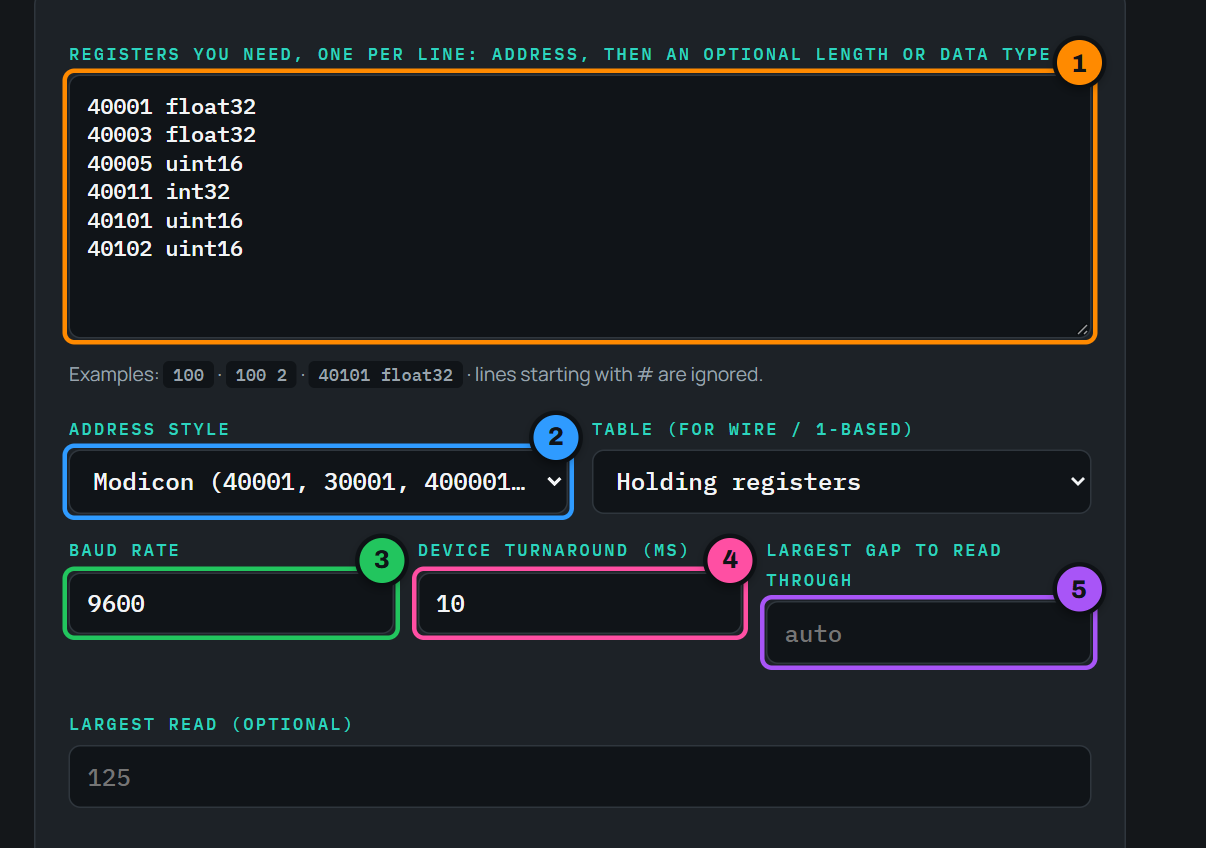
- 1 (orange circle) One register per line: the address, then an optional length or data type (
40001 float32,100 2, or just100). Lines starting with#are ignored. - 2 (blue circle) Address style. Modicon understands 40001 (holding), 30001 (input), 00001 (coils) and 10001 (discrete inputs) in 5 or 6 digits. Choose 0-based wire or 1-based if your list uses plain numbers, and set the table in the box beside it.
- 3 (green circle) Baud rate of your serial line.
- 4 (pink circle) Device turnaround in milliseconds: how long the device takes to answer. 5 to 50 is common; the manual may say.
- 5 (purple circle) Largest gap to read through. Leave it on auto and the tool works out when reading a few unwanted registers is cheaper than starting a new request. Type 0 to never read through a gap.
Step 2. Read the result
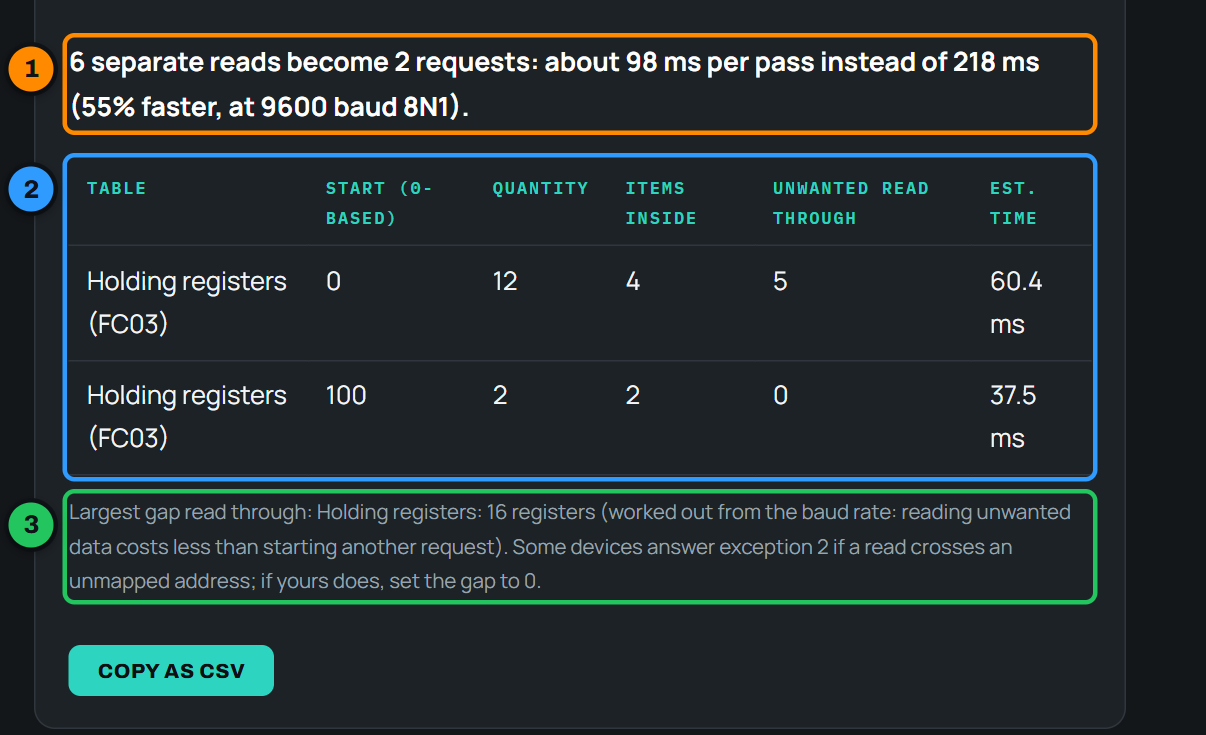
- 1 (orange circle) The headline: how many separate reads became how many requests, and the estimated time for one pass at your baud rate (8N1 assumed).
- 2 (blue circle) The requests to make: table, start address (0-based), quantity, how many of your items each one covers, and how many unwanted registers it reads through.
- 3 (green circle) Which gap rule was used. Copy as CSV below the table copies the plan.
Things to know
- Some devices answer exception 2 (illegal data address) if a block crosses a register that does not exist. If yours does, set the gap to 0. See the exception codes.
- A single read is limited to 125 registers (2000 coils). The tool splits larger groups for you.
- Times are estimates from the serial timing rules. Real devices add their own delays, so measure the real figure too.
- Using Home Assistant? Fewer, bigger reads are not set in the YAML by the generator, so treat this tool as a way to see how much your sensor list costs. The Home Assistant guide keeps the list short for the same reason.